
Amazing Pattern Matching Capabilities of Wolfram Mathematica
Wolfram Mathematica is one of the best tools available today for symbolic computation, primarily involving Mathematics. What is quite amazing about it is its pattern matching features. It is not too much of an exaggeration to say that all the language features are built around some form of pattern matching. A complete book can be written on this topic, but I will attempt to cover some of the salient aspects in this article.
When many of us heart the term “pattern matching”, we immediately think of Regular Expressions. Mathematica’s pattern language generalizes this idea to arbitrary symbolic expressions: lists, equations, trees, and a lot more.
Let us consider the simple definition of a function.
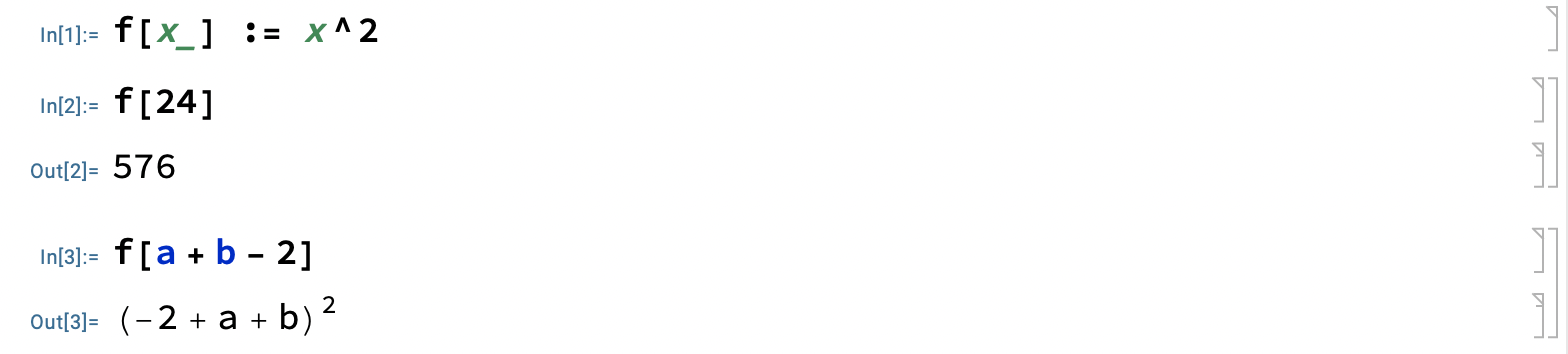
Thus, the function definition itself is a pattern that is expanded appropriately by the system.
Mathematica uses a compact (somewhat cryptic) pattern syntax. See below.

As an example, let us define a function that takes two integer arguments and sums their squares.
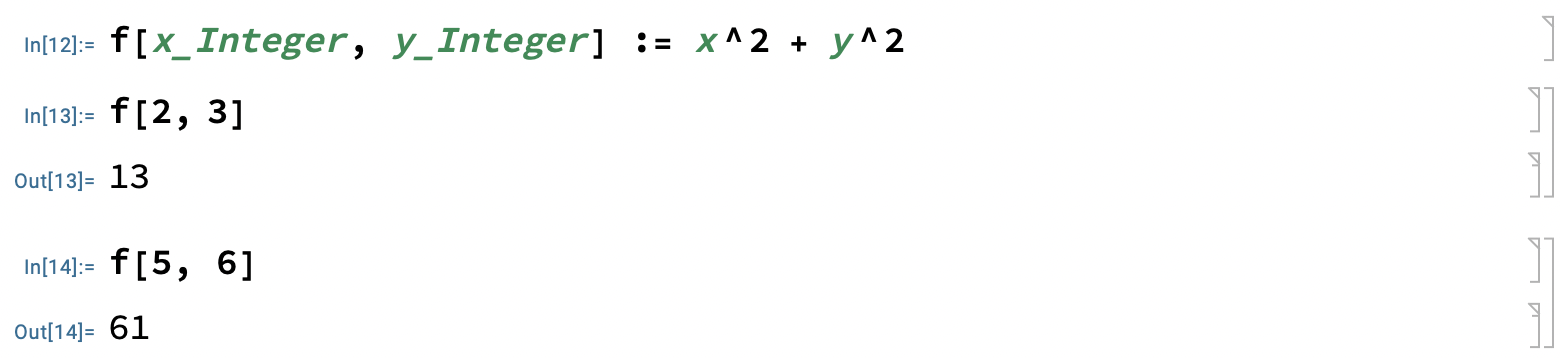
In the above example, we have constrained the arguments to be “Integers”. The function will be executed only when this condition is satisfied.
Patterns become more powerful when we combine them with rules.

The first rule in the above example substitutes “x” with “(y+z)”. In the second, “x” is replaced by an integer value “10”.
A variant of the above is “repeated application of rules”. Take a look at the following example:
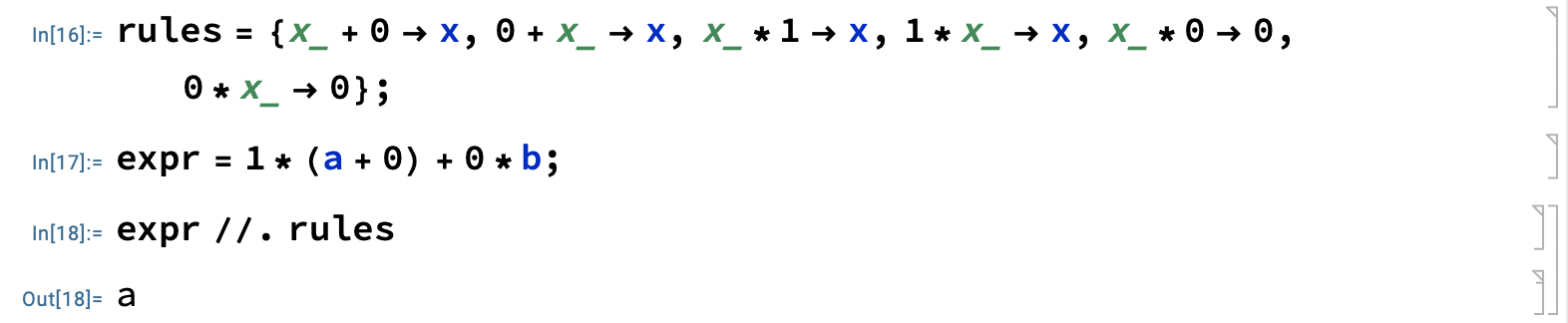
In the above example, the operator “//.” applies the list of rules “rules” on the expression “expressions” until no more application is possible. The result is the final substitution arrived at. This is quite powerful.
We also have the operator “___” matches zero or more elements. The following function checks if the given sequence has two equal adjacent elements:

We can build upon the above further to implement a compact way to sort a list of integers:

It has to be understood like this: “as long as the list contains some prefix, then two adjacent elements in the wrong order, then some suffix — swap them.” How succinct!
I can go on and on, but I will stop here for now. Hope you now have a glimpse of the pattern matching capabilities of Mathematica.
I have used Wolfram Mathematica Professional ver 14.3 for this article. You can download the notebook here.
Have a nice day!