
Exploring C++ Bit Manipulation Functions
Developers who work on low-level programming in C++, for example controlling IoT devices, know the importance of bit manipulation. Prior to C++20, we wrote our own set of functions according to our specific requirements. C++20 introduced <bit> header and this was later improved in C++23. The current set of functions provide substantial functionality. In today’s article, let us go over some of them.
Let us start with a simple requirement. We are given a positive integer and we want to calculate the number of bits required to represent this number. The bit_width function does this. Given an integer argument, it returns the required bit size. Take a look at the following example:
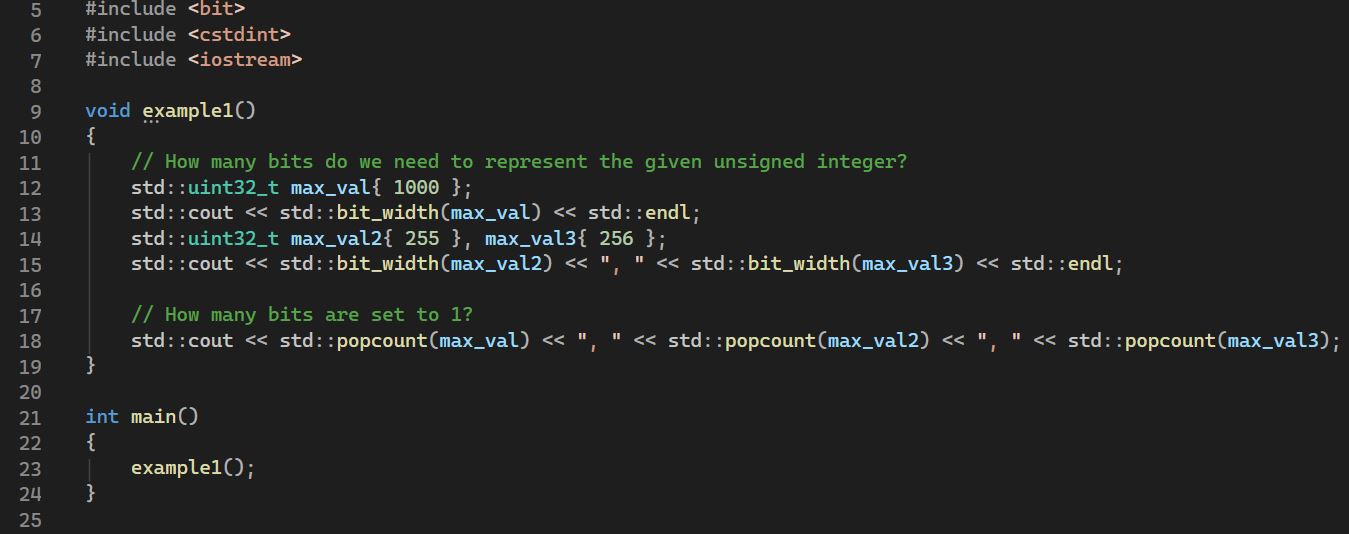
In case we need to find out how many bits are set to 1, we can use the popcount function (line 18). Of course, the number of zeros will be the total bit width minus the number of 1 bits.
Here is the output:

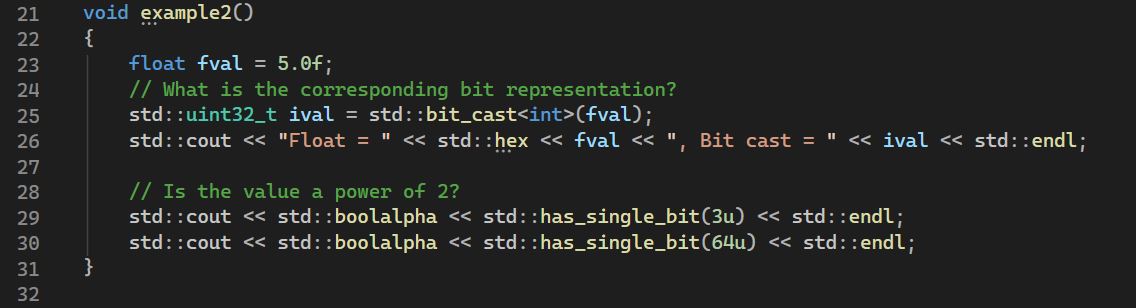
The next example is about bit representation. While guessing the bit representation is usually straightforward in the case of integers, what if we want to know how a floating point number is represented? We can use the convenient bit_cast function. Likewise, is there a way to determine if an integer is a power of 2? Both these are illustrated below:
The program output is this:

Another common operation we perform, especially with respect to decimal numbers is rounding up and down. Let us change the scenario slightly. Given an integer, we want to round it up (or round down) to the nearest power of two. The functions bit_ceil and bit_floor come to our rescue.
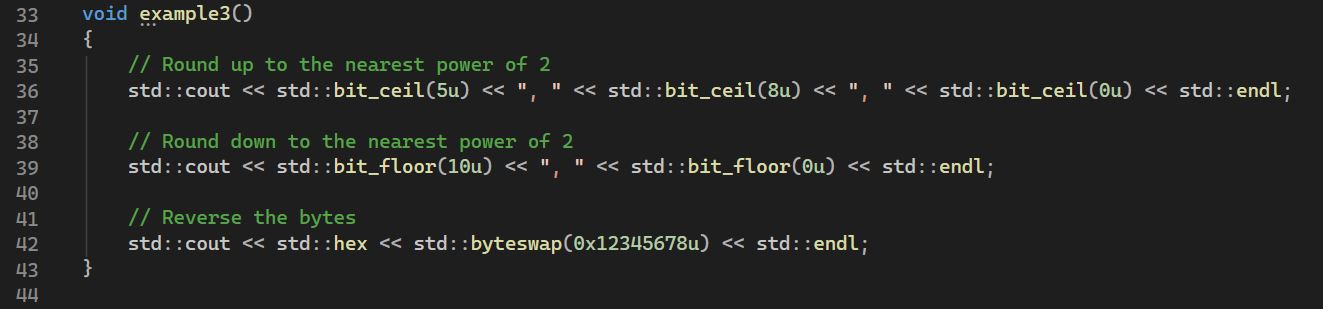
The above example also shows the use of the function byteswap that reverses the bytes of the given integer. Mind you – it is bytes, not bits! See line 42.
Here is the output from the program:

There are also the standard bit rotation functions – rotate left and rotate right. I am not covering them here.
Finally, <bit> also has a clean mechanism to detect the “endianness” of the current platform. See the following example.
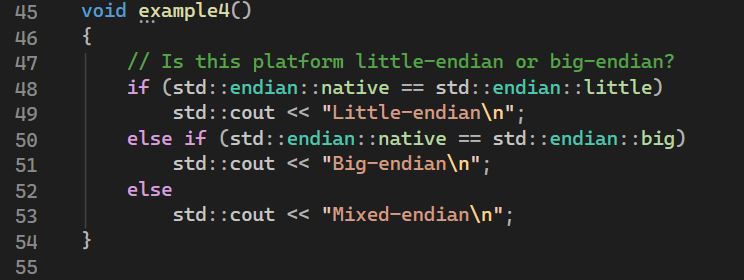
My Windows machine is x64 and I get “Little-endian”. See below:

The <bit> header thus has a collection of useful functions frequently used by low-level programmers. Of course, there may be more operations that are needed as part of bit manipulation, but those can be implemented on top of the existing functions.
Have a nice weekend and a great week ahead!
You can download the source code here.